The Library Management system offers complete functionality to handle day-to-day operations in any size of library. It allows the administrator to manage everything from book categories, authors, and publishers to issuing books and I-cards to users. Each module is interconnected, making it easy to handle requests, view details, and monitor the current status of each book or user activity. With dedicated interfaces for editing and viewing data, the system brings clarity and structure to how libraries are run. From the initial data entry to final book returns or fines, every action is fully trackable within the system.

A complete solution to maintain books, handle memberships, issue and return records, and stay updated with your entire library operations in one place
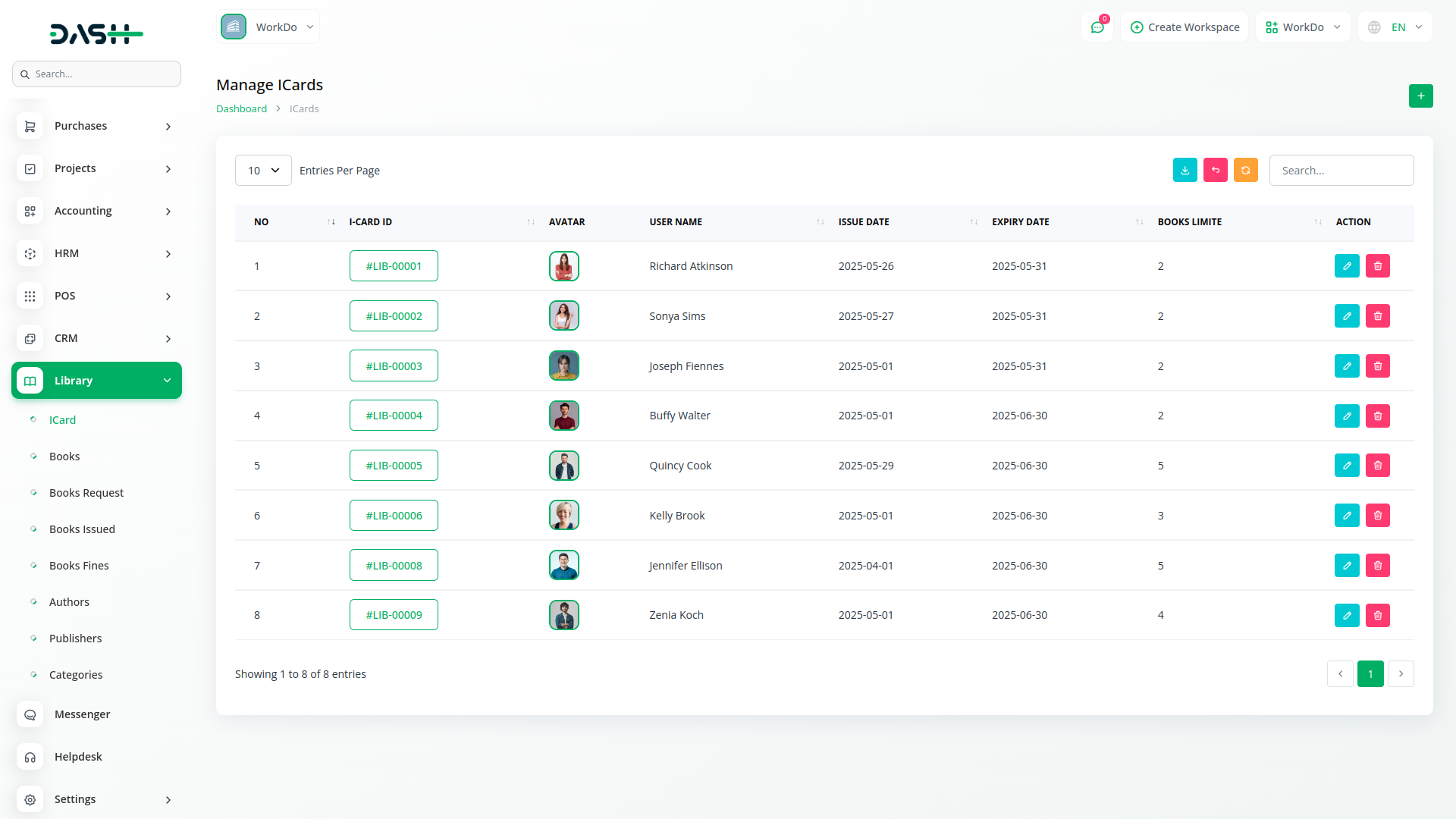
The ID Card system provides a structured way to manage library users through personalized digital cards. Each card includes essential fields like the associated user, issue date, expiry date, number of books that can be issued, and optional notes. Admins can create, edit, and delete cards directly, helping maintain borrowing limits and organize user access. Cards also visually represent users through avatars, simplifying identity verification and improving user recognition. Every issued book, fine, or request made by the user is linked back to their I-Card profile, ensuring centralized tracking of all activities.
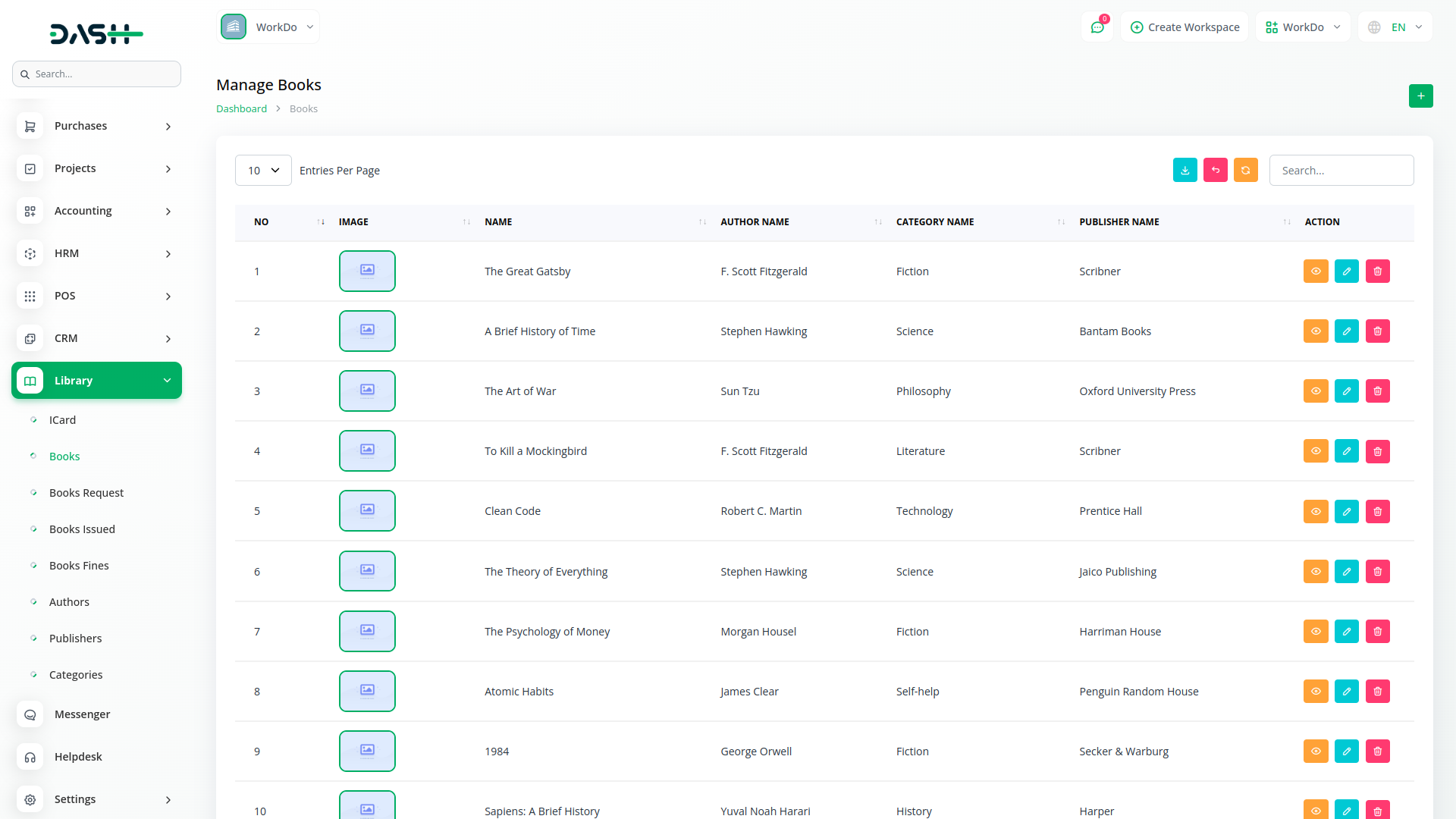
Book inventory is managed in detail using fields like book name, ISBN, published date, price, quantity, and current availability status such as issued, reserved, coming soon, or under maintenance. Each book is associated with an author, publisher, and category to provide better classification and ease of lookup. The listing view shows vital information such as book image, name, and links to related authors, categories, and publishers. Admins can add new books, export the list, and update any entry. This helps ensure that the library maintains an accurate record of book stock and availability.
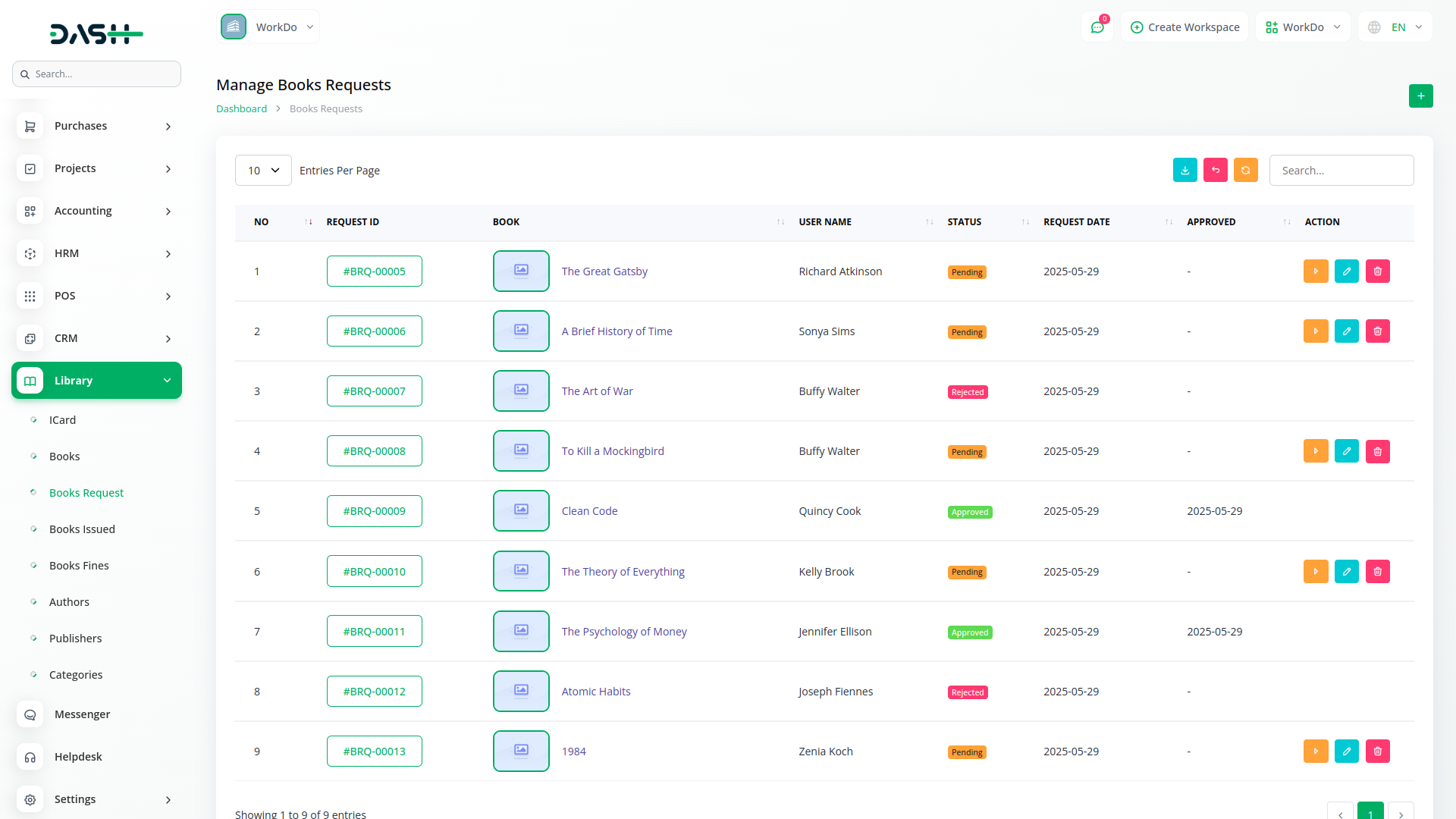
This section lets users request books they want to borrow. Admins can view each request with full details, including request ID, book name, user name, request date, and current status (pending, approved, or rejected). Each request is linked to a book and user profile, ensuring traceability. Admins have the ability to view, edit, delete, or take action on a request from within the system. This streamlines the approval process and reduces manual effort in handling multiple user queries. Every change in status is reflected immediately, making request management smooth and efficient.
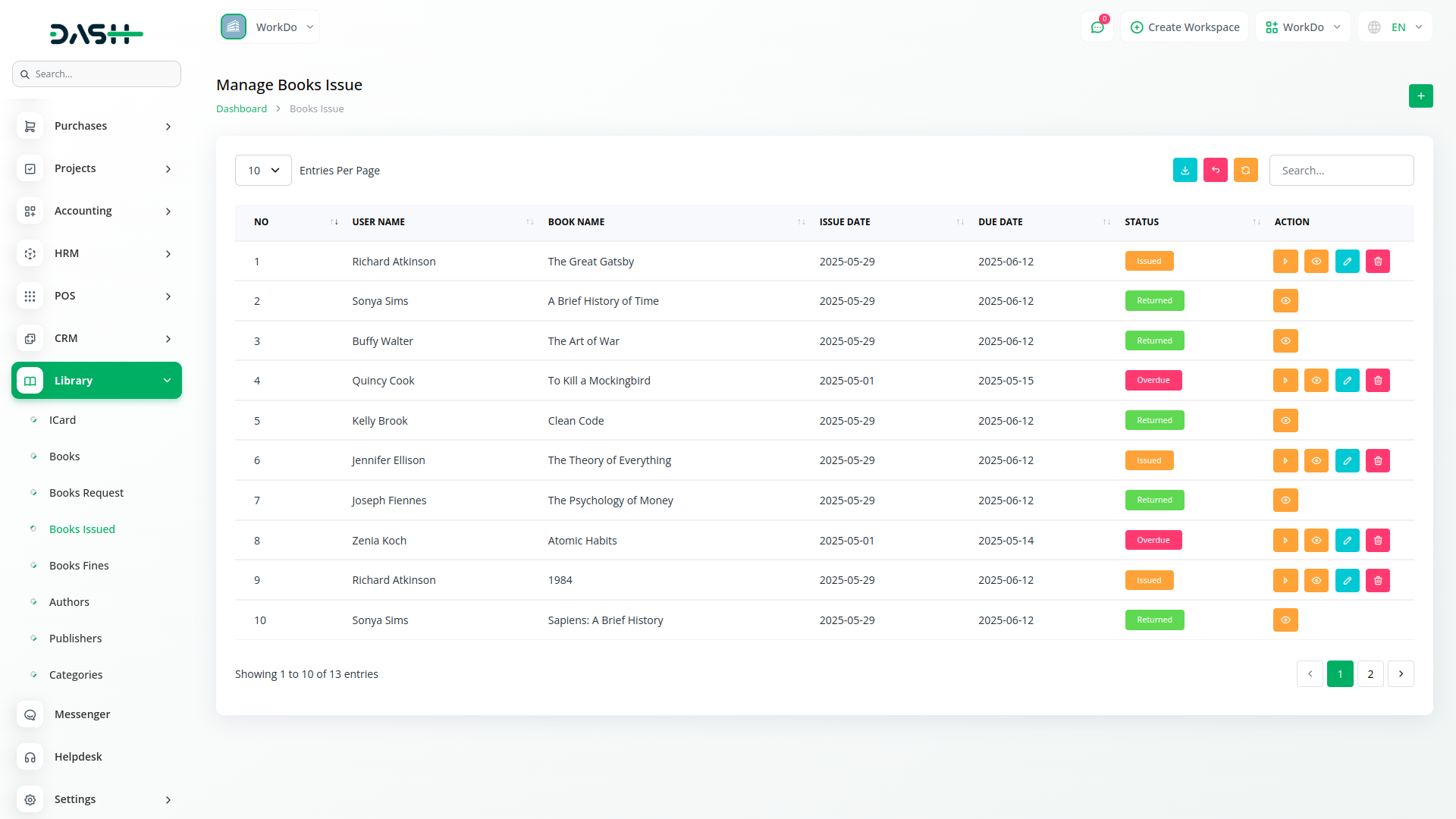
The Book Issue section captures all relevant details when a book is issued, including the user, selected book, issue date, due date, fine per day, and notes. Admins can view a complete table of current issues and returns, including the user's name, book title, and status like issued, returned, overdue, damaged, or missing. A dedicated detail view is also available to understand each record better. The system ensures a complete borrowing cycle is covered and supports actions like edit and delete to make adjustments. This reduces missed returns and helps in accurate fine collection.
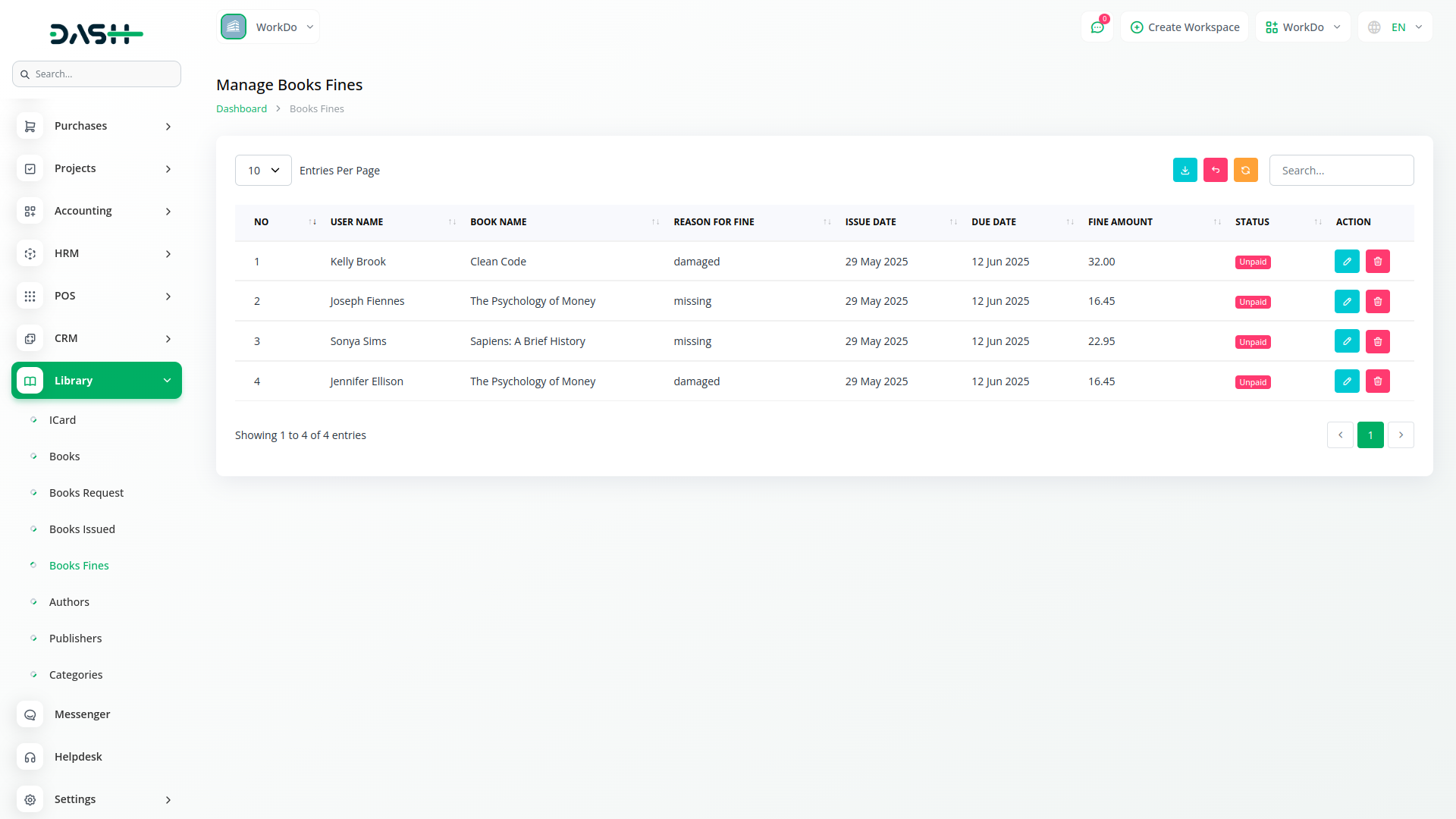
Library administrators can monitor all fines related to overdue, damaged, or missing books. Each fine entry is linked with the user, book, issue details, and includes the reason for fine, issue date, due date, and fine amount. Admins can also track whether the fine is paid or unpaid. The listing includes a direct connection to the original book issue entry, ensuring all fines are based on valid data. This system brings transparency, ensures accountability from users, and enables proper financial tracking of penalties within the library.
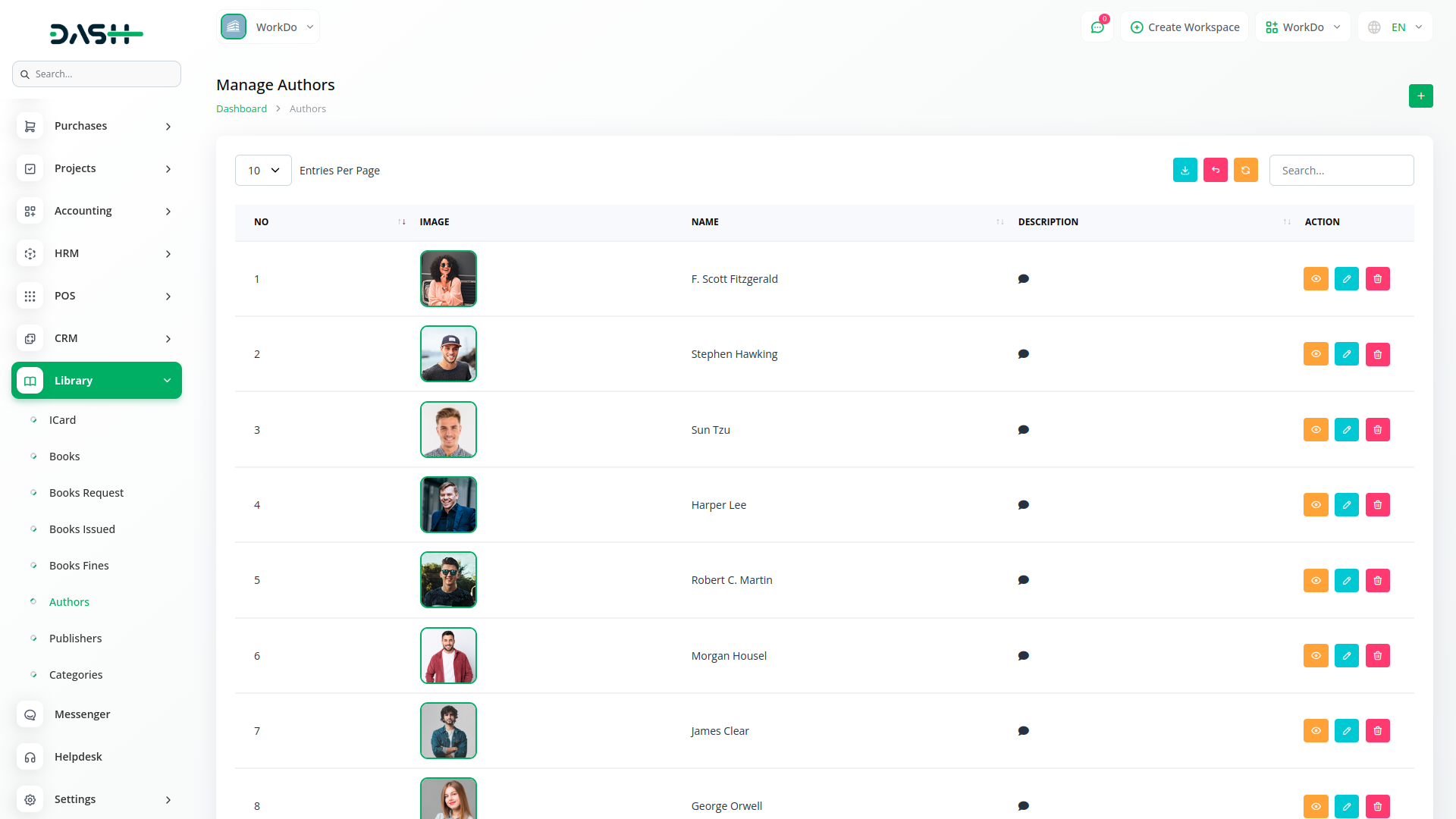
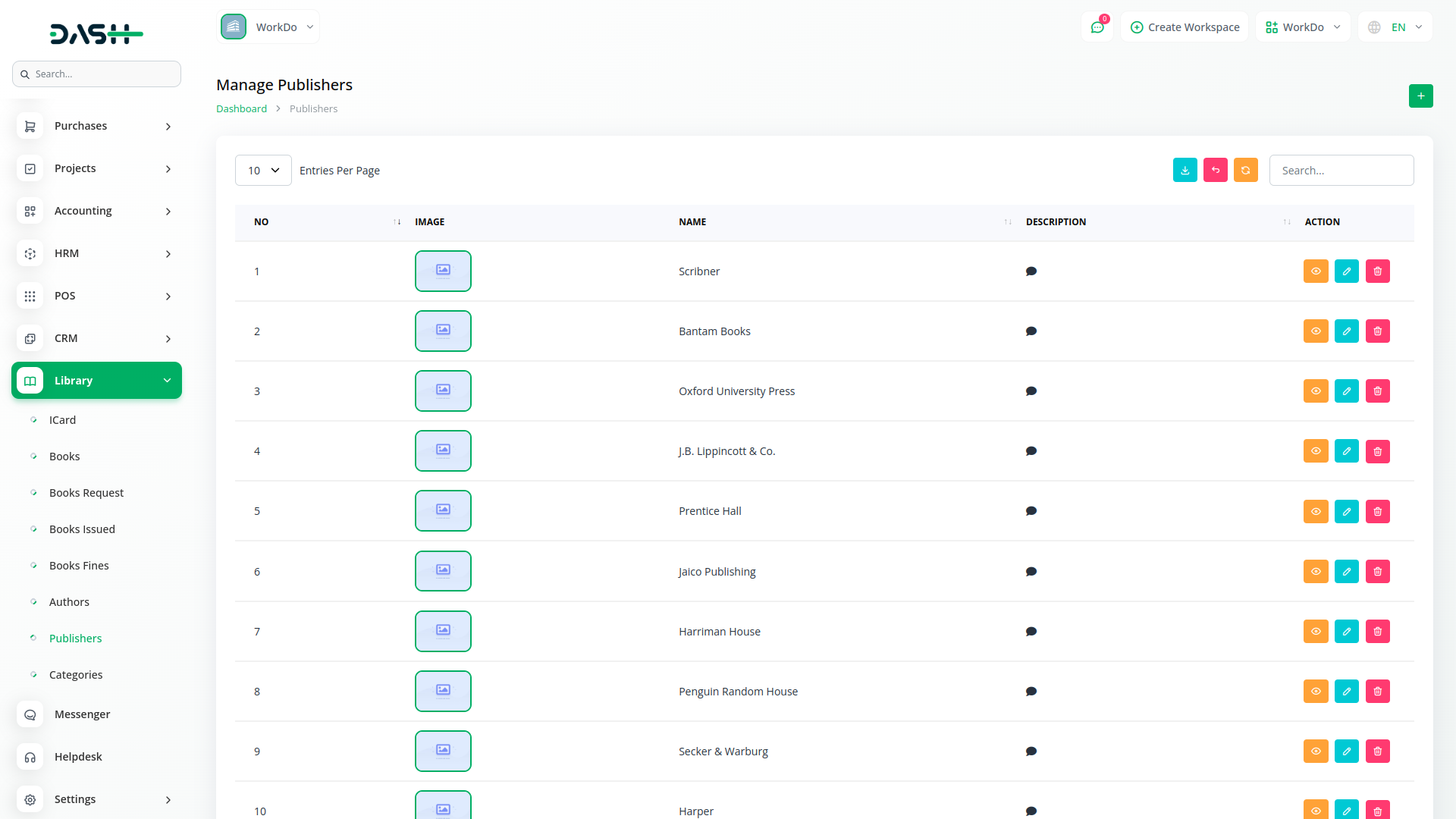
Each book can be categorized by its author, publisher, and subject category. Admins can manage these entities independently through their own modules. Author and publisher records include a name, image, and description. Categories come with a name and optional description. When assigning metadata to a book, these selections ensure that the library remains organized and search-friendly. This layered structure helps in sorting, filtering, and managing books based on their content, source, or theme—resulting in quicker access to relevant materials.
With Dash, you can conveniently manage all your business functions from a single location.
Access over Premium Add-ons for Accounting, HR, Payments, Leads, Communication, Management, and more, all in one place!
With Dash, you can conveniently manage all your business functions from a single location.